
Cables: For AZ Series DC Input Network Compatible

| Number in Illustration |
Cable Name |
|---|---|
| [1] | Connection Cable |
| Flexible Connection Cable | |
| [2] | Motor-Side Extension Cable, Motor-Side Flexible Extension Cable |
| Number in Illustration |
Cable Name |
|---|---|
| [3] | I/O Signal Cable Connector Type |
| [4] | DC Power Supply Cable |
- *1
- Flexible connection cables and flexible extension cables with excellent bending resistance are also available.
- *2
- Required for electromagnetic brake motors.
- *3
- Not supplied.
Note
- Up to three cables can be used for connection between the motor and driver.
- The maximum extension distance between the motor and driver is 20 m.
Connection Cable
This cable can be used to connect the motor with driver.
The motor cable and electromagnetic brake cable from the motor cannot be connected directly to the driver.
When connecting to a driver, use a connection cable.
[1] Connection Cable, Flexible Connection Cable (Must be purchased)
For AZM14, AZME14, AZM15, AZM24, AZME24, AZM26, AZME26
-
For Motor and Encoder 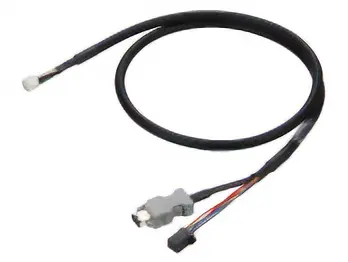
-
For Electromagnetic Brake * 
| Length (m) | Connection Cable | Flexible Connection Cable | ||
|---|---|---|---|---|
| For Motor and Encoder | For Electromagnetic Brake * | For Motor and Encoder | For Electromagnetic Brake * | |
| 0.5 | CC005VZ2F2 | CC005V3F-B | CC005VZ2R2 | CC005V3R-B |
| 1 | CC010VZ2F2 | CC010V3F-B | CC010VZ2R2 | CC010V3R-B |
| 1.5 | CC015VZ2F2 | CC015V3F-B | CC015VZ2R2 | CC015V3R-B |
| 2 | CC020VZ2F2 | CC020V3F-B | CC020VZ2R2 | CC020V3R-B |
| 2.5 | CC025VZ2F2 | CC025V3F-B | CC025VZ2R2 | CC025V3R-B |
| 3 | CC030VZ2F2 | CC030V3F-B | CC030VZ2R2 | CC030V3R-B |
| 4 | CC040VZ2F2 | CC040V3F-B | CC040VZ2R2 | CC040V3R-B |
| 5 | CC050VZ2F2 | CC050V3F-B | CC050VZ2R2 | CC050V3R-B |
| 7 | CC070VZ2F2 | CC070V3F-B | CC070VZ2R2 | CC070V3R-B |
| 10 | CC100VZ2F2 | CC100V3F-B | CC100VZ2R2 | CC100V3R-B |
| 15 | CC150VZ2F2 | CC150V3F-B | CC150VZ2R2 | CC150V3R-B |
| 20 | CC200VZ2F2 | CC200V3F-B | CC200VZ2R2 | CC200V3R-B |
- *Required for AZME24MK and AZME26MK.
Note on Use of Flexible Cables
For AZM46, AZM48, AZM66, AZM69
-
For Motor 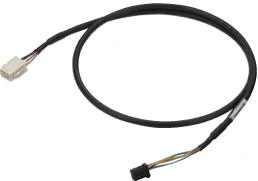
-
For Encoder 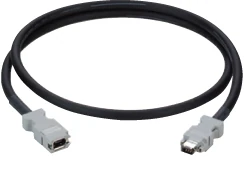
-
For Electromagnetic Brake * 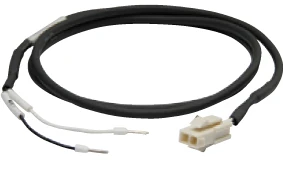
- *Required for electromagnetic brake motors.
[2] Extension Cable Set Motor Side/Flexible Extension Cable Set Motor Side
For AZM14, AZME14, AZM15, AZM24, AZME24, AZM26, AZME26
-
For Motor and Encoder 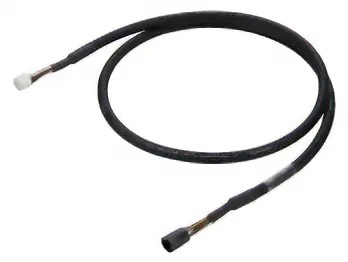
-
For Electromagnetic Brake * 
| Length (m) | Extension Cable | Flexible Extension Cable | ||
|---|---|---|---|---|
| For Motor and Encoder | For Electromagnetic Brake * | For Motor and Encoder | For Electromagnetic Brake * | |
| 1 | CC010VZ2FT | CC010V3FT-B | CC010VZ2RT | CC010V3RT-B |
| 2 | CC020VZ2FT | CC020V3FT-B | CC020VZ2RT | CC020V3RT-B |
| 3 | CC030VZ2FT | CC030V3FT-B | CC030VZ2RT | CC030V3RT-B |
| 5 | CC050VZ2FT | CC050V3FT-B | CC050VZ2RT | CC050V3RT-B |
| 7 | CC070VZ2FT | CC070V3FT-B | CC070VZ2RT | CC070V3RT-B |
| 10 | CC100VZ2FT | CC100V3FT-B | CC100VZ2RT | CC100V3RT-B |
| 15 | CC150VZ2FT | CC150V3FT-B | CC150VZ2RT | CC150V3RT-B |
- *Required for AZME24MK and AZME26MK.
Note on Use of Flexible Cables
For AZM46, AZM48, AZM66, AZM69
-
For Motor 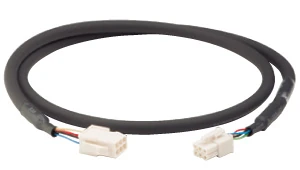
-
For Encoder 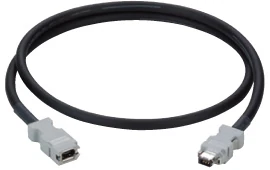
-
For Electromagnetic Brake * 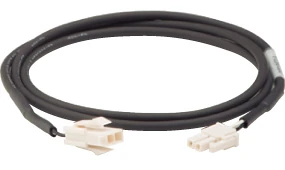
| Length (m) | Extension Cable | Flexible Extension Cable | ||||
|---|---|---|---|---|---|---|
| For Motor | For Encoder | For Electromagnetic Brake * | For Motor | For Encoder | For Electromagnetic Brake * | |
| 1 | CC010VZFT-M | CC010VZF-E | CC010V3FT-B | CC010VZRT-M | CC010VZR-E | CC010V3RT-B |
| 2 | CC020VZFT-M | CC020VZF-E | CC020V3FT-B | CC020VZRT-M | CC020VZR-E | CC020V3RT-B |
| 3 | CC030VZFT-M | CC030VZF-E | CC030V3FT-B | CC030VZRT-M | CC030VZR-E | CC030V3RT-B |
| 5 | CC050VZFT-M | CC050VZF-E | CC050V3FT-B | CC050VZRT-M | CC050VZR-E | CC050V3RT-B |
| 7 | CC070VZFT-M | CC070VZF-E | CC070V3FT-B | CC070VZRT-M | CC070VZR-E | CC070V3RT-B |
| 10 | CC100VZFT-M | CC100VZF-E | CC100V3FT-B | CC100VZRT-M | CC100VZR-E | CC100V3RT-B |
| 15 | CC150VZFT-M | CC150VZF-E | CC150V3FT-B | CC150VZRT-M | CC150VZR-E | CC150V3RT-B |
- *Required for electromagnetic brake motors.
Other Cables
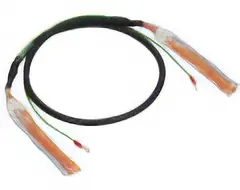
[3] I/O Signal Cable
General-Purpose Type
- Multi-core shielded cable
- Double-ended discrete wire
- Includes ground wire with round terminal for easy shield grounding
- Select the number of lead wire cores that matches the desired functionality.
| Product Name | Length (m) |
Number of Cores | AWG | Insulator Outer Diameter | Finished Outer Diameter | |
|---|---|---|---|---|---|---|
|
CC06D005B-1 | 0.5 | 6 | 24 | φ1.1 | φ5.4 |
| CC06D010B-1 | 1 | |||||
| CC06D015B-1 | 1.5 | |||||
| CC06D020B-1 | 2 | |||||
| CC10D005B-1 | 0.5 | 10 | φ6.7 | |||
| CC10D010B-1 | 1 | |||||
| CC10D015B-1 | 1.5 | |||||
| CC10D020B-1 | 2 | |||||
| CC12D005B-1 | 0.5 | 12 | φ7.5 | |||
| CC12D010B-1 | 1 | |||||
| CC12D015B-1 | 1.5 | |||||
| CC12D020B-1 | 2 | |||||
| CC16D005B-1 | 0.5 | 16 | ||||
| CC16D010B-1 | 1 | |||||
| CC16D015B-1 | 1.5 | |||||
| CC16D020B-1 | 2 |
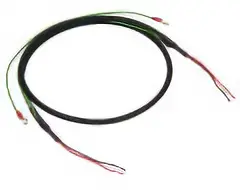
[4] DC Power Supply Cable
Shielded cable for connection of DC power supply and electromagnetic brake. Ground wire with round terminal for easy shield grounding.
| Product Name | Length (m) |
AWG | Insulator Outer Diameter | Finished Outer Diameter | |
|---|---|---|---|---|---|
|
CC02D005-3 | 0.5 | 20 | φ1.65 | φ5.9 |
| CC02D010-3 | 1 | ||||
| CC02D015-3 | 1.5 | ||||
| CC02D020-3 | 2 | ||||
| CC02D050-3 | 5 |
Cable Note When Wiring Flexible Cable
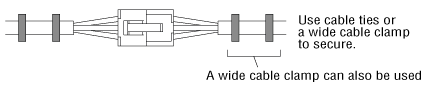
Do not bend the cable at the connector. Stress applied to the connectors and terminals causes poor contact and disconnection.
How to Fix the Cable
Fix the connector part in 2 places to prevent it from moving.
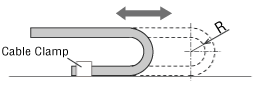
Wiring Length and Bending Radius of the Cable
Wiring should be installed at an appropriate length, so that cables are not pulled during movement.
In addition, the bending radius (R) should be 6 times the cable diameter min.
Interference of the Cable
Wire the cables in the cable holder without bringing them into contact with each other. This will add stress to the cable, and cause it to break prematurely. Please check note on cable holders carefully before use.
Cable Kinks
◇Please wire without kinks in the cable. Kinking in a twisted state can cause premature disconnection. After wiring, confirm that there are no kinks in the cable, using the print on the cable surface as a reference.